

Part of our Coding agents explained: Claude Code, Cursor, Codex and how to choose guide
In this article
Hooks are the part of Claude Code that does not rely on the model choosing to behave. A hook is a command, HTTP call, MCP tool call or prompt that Claude Code runs automatically at a set point, such as before every Bash command or after every file edit. That makes hooks the right place to enforce rules. It also means a hook is code that runs on your machine without asking.
If you're still deciding between hooks, skills and subagents, start with Claude Code subagents vs skills vs hooks. This page is about the security side.
What a hook can do on your machine
Anthropic's hooks reference is blunt: "Command hooks execute shell commands with your full user permissions. They can modify, delete, or access any files your user account can access." Its plugin security page adds that Claude Code runs hooks outside the sandbox. Permission rules and the sandbox cover Claude's tool calls, not the hook script itself.
Where a hook is defined decides who can put it there:
| Where the hook lives | Who controls it | Shared with others? | Main risk |
|---|---|---|---|
~/.claude/settings.json |
You | No | Your own bugs |
.claude/settings.json in a repo |
Anyone who can commit to the repo | Yes, by git | A malicious or careless commit |
.claude/settings.local.json |
You | No (gitignored) | Your own bugs |
| Managed policy settings | Your admin | Org-wide | Low for users; admins can lock hooks down |
Plugin hooks/hooks.json |
The plugin author | Yes, on install | Installing an unreviewed plugin |
| Skill or subagent frontmatter | The skill or agent author | Yes, with the file | Copying a skill without reading it |
Source: Claude Code hooks reference, Hook locations, checked Nov. 28, 2026. The last column is our summary.
The shared rows are the ones to watch. A repository's .claude/settings.json is just another file in the repo, so a pull request can add a hook as easily as it adds a line of code.
The flaws found so far
Check Point Research published three Claude Code issues on Feb. 25, 2026. All three used files a repository controls, and Anthropic fixed all three before publication.
| Issue | What a malicious repo could do | Reported | Fixed | Days to fix (our math) |
|---|---|---|---|---|
| Hooks in project settings (GHSA-ph6w-f82w-28w6, fixed in 1.0.87) | Run a SessionStart hook command after a trust dialog that didn't warn hooks would run |
July 21, 2025 | Aug. 26, 2025 | 36 |
| MCP consent bypass (CVE-2025-59536, fixed in 1.0.111) | Start a project MCP server command before the trust dialog was answered | Sept. 3, 2025 | Sept. 22, 2025 | 19 |
| API key exfiltration (CVE-2026-21852) | Point ANTHROPIC_BASE_URL at an attacker's server and send the API key before trust was confirmed |
Oct. 28, 2025 | Dec. 28, 2025 | 61 |
Dates are from Check Point's disclosure timeline; fixed versions are from the GitHub advisories. Check Point says the fixes were a stronger warning dialog for untrusted project settings, blocking project MCP servers until approval, and deferring network calls until after the trust dialog.
The lesson isn't that hooks are broken. It's that configuration files in a repo are code, and should be reviewed like code.
How workspace trust works now
Anthropic's current docs draw a line between two kinds of session:
- Interactive sessions. Claude Code holds back hooks from every settings file, including your own
~/.claude/settings.json, until you accept the workspace trust dialog for that folder. claude -pand SDK sessions. There is no dialog, and the folder is treated as trusted. Hooks committed in a repository's.claude/settings.jsonrun even in a folder you've never opened before.
That second case matters for anyone scripting Claude Code in CI or over many repos. Anthropic's advice is to review the repo's .claude/ files first, start with --bare, or turn hooks off for that run with --settings '{"disableAllHooks": true}'.
What hooks are good at
Hooks are still the strongest guardrail Claude Code has. Per Anthropic's hooks guide, a PreToolUse hook fires before any permission-mode check, and a hook that returns permissionDecision: "deny" blocks the tool even in bypassPermissions mode or with --dangerously-skip-permissions. A hook's "allow" can't override deny rules in your settings. So a hook can make things stricter, but can't loosen your permission rules.
A minimal guard that blocks edits to secrets, adapted from Anthropic's guide:
#!/bin/bash
# .claude/hooks/protect-files.sh
FILE_PATH=$(jq -r '.tool_input.file_path // empty')
case "$FILE_PATH" in
  *.env*|*/.git/*|*id_rsa*) echo "Blocked: $FILE_PATH is protected" >&2; exit 2 ;;
esac
exit 0
Register it under PreToolUse with the matcher Edit|Write. Exit code 2 blocks the edit and passes the message to Claude. Anthropic notes Claude can still reach those files through shell commands, so pair the hook with Edit deny rules and the sandbox. Our guide to running coding agents safely covers both.
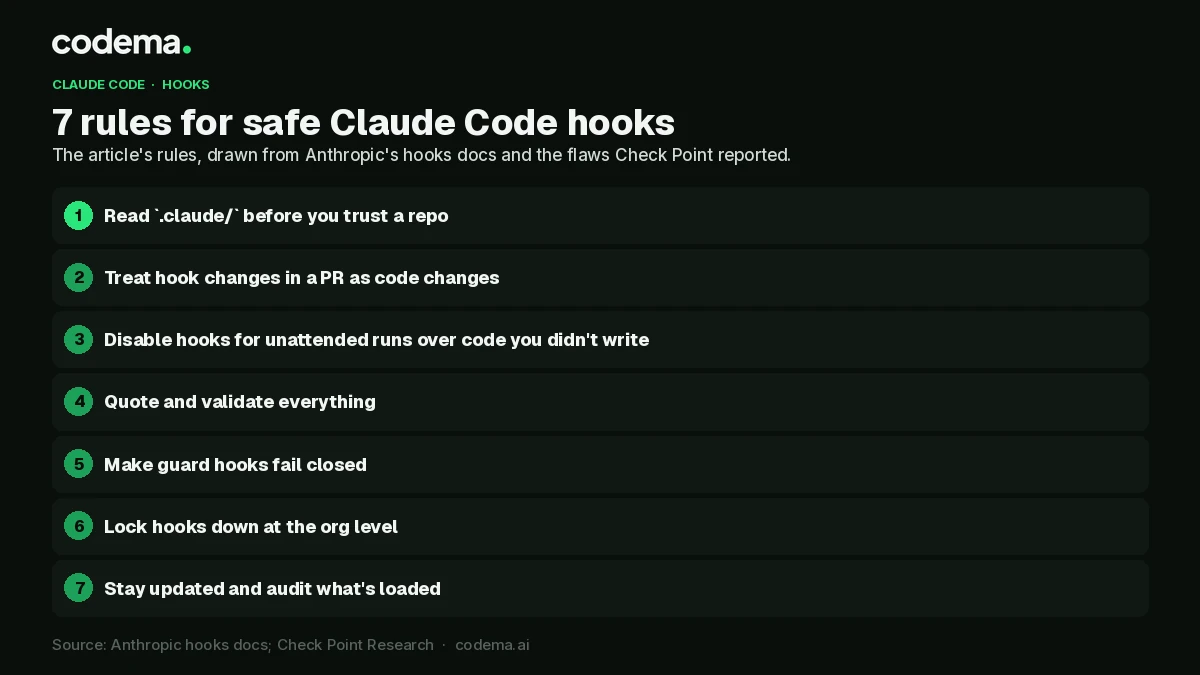
7 rules for safe Claude Code hooks
- Read
.claude/before you trust a repo. Checksettings.json, any skills or agents, and.mcp.json. Check Point's advice is the same for.vscode/and similar tool folders. - Treat hook changes in a PR as code changes. A one-line edit to
.claude/settings.jsoncan run a command on every teammate's machine. - Disable hooks for unattended runs over code you didn't write. Use
--bareor--settings '{"disableAllHooks": true}'withclaude -p. - Quote and validate everything. Anthropic's own list: validate and sanitize inputs, always write
"$VAR"not$VAR, block..path traversal, use absolute paths (${CLAUDE_PROJECT_DIR}), and skip.env,.git/and keys. - Make guard hooks fail closed. A
PreToolUsecommand hook that times out doesn't block the tool call by default. The default timeout is 600 seconds for command hooks. Set"onFailure": "block"(Claude Code v2.1.295 or later) so a missing script or a timeout blocks the call instead of letting it through. - Lock hooks down at the org level. Admins can set
allowManagedHooksOnlyin managed settings so only approved hooks run, and limit HTTP hooks withallowedHttpHookUrlsandhttpHookAllowedEnvVars. - Stay updated and audit what's loaded. All three Check Point issues were fixed in later versions. Run
/hooksin a session to see every hook and where it came from.
Our count: 34 places a hook can fire
We counted 34 hook events in Anthropic's hooks reference table on Nov. 28, 2026, from SessionStart to SessionEnd. Only some of them can block anything: PreToolUse can stop a tool call, UserPromptSubmit can stop a prompt, and Stop can send Claude back to work. PostToolUse can't undo a tool that already ran. If you want a hook to enforce a rule, put it on an event that runs before the action.
For more on agent security, see prompt injection for agent builders, MCP security best practices and Claude auto mode explained. The coding agents guide collects everything we've published on Claude Code, Codex and Cursor.
Sources
- Anthropic, Claude Code docs: Hooks reference, Automate actions with hooks, Plugin security and trust (all checked Nov. 28, 2026)
- Check Point Research: Caught in the Hook: RCE and API Token Exfiltration Through Claude Code Project Files (Feb. 25, 2026)
- GitHub Advisory Database: GHSA-ph6w-f82w-28w6, CVE-2025-59536 (GHSA-4fgq-fpq9-mr3g)
FAQ
Are Claude Code hooks safe?
Hooks you wrote and reviewed are as safe as the script itself. Anthropic warns that command hooks run shell commands with your full user permissions, so they can read, change or delete anything your account can. The risk is hooks you didn't write, such as ones committed in a repository's .claude/settings.json or bundled in a plugin.
Can a hook block a dangerous command in Claude Code?
Yes. A PreToolUse hook runs before a tool call and can block it by exiting with code 2 or returning a permissionDecision of deny. Anthropic says a hook's deny holds in every permission mode, including bypassPermissions and --dangerously-skip-permissions.
Do project hooks run before I trust a folder?
In an interactive session, no: Claude Code holds back hooks from every settings file until you accept the workspace trust dialog. In a claude -p or SDK session there is no dialog and the folder counts as trusted, so a repository's committed hooks run. Anthropic suggests --bare or disabling hooks for that run.
How do I turn off all hooks in Claude Code?
Set disableAllHooks to true in a settings file, or pass --settings with disableAllHooks set to true for a single run, which takes precedence over project and local settings. It cannot switch off hooks an administrator set in managed settings.
Sources
- Claude Code docs, Hooks reference (Security considerations, Hook locations, Timeouts)code.claude.com
- Claude Code docs, Automate actions with hooks (Block edits to protected files, Hooks and permission modes)code.claude.com
- Claude Code docs, Plugin security and trustcode.claude.com
- Check Point Research, Caught in the Hook: RCE and API Token Exfiltration Through Claude Code Project Files (Feb. 25, 2026)research.checkpoint.com
- GitHub Advisory Database, GHSA-ph6w-f82w-28w6: Claude Code Vulnerable to Arbitrary Code Execution Due to Insufficient Startup Warninggithub.com
- GitHub Advisory Database, CVE-2025-59536: Claude Code can execute commands prior to the startup trust dialoggithub.com
Topics
Carrie F.Build desk
Carrie F. is a Codema.ai house byline: a pen name used by our editorial desk, not one individual journalist. It covers AI Money: earnings from Big Tech and chipmakers, AI capital spending and how the build-out is financed, plus plain-English explainers such as free cash flow, EPS and how to read a 10-Q. It's news and analysis, not financial advice. Pieces under this name are written with AI assistance and reviewed by a human editor before they're published.
All stories by Carrie F.